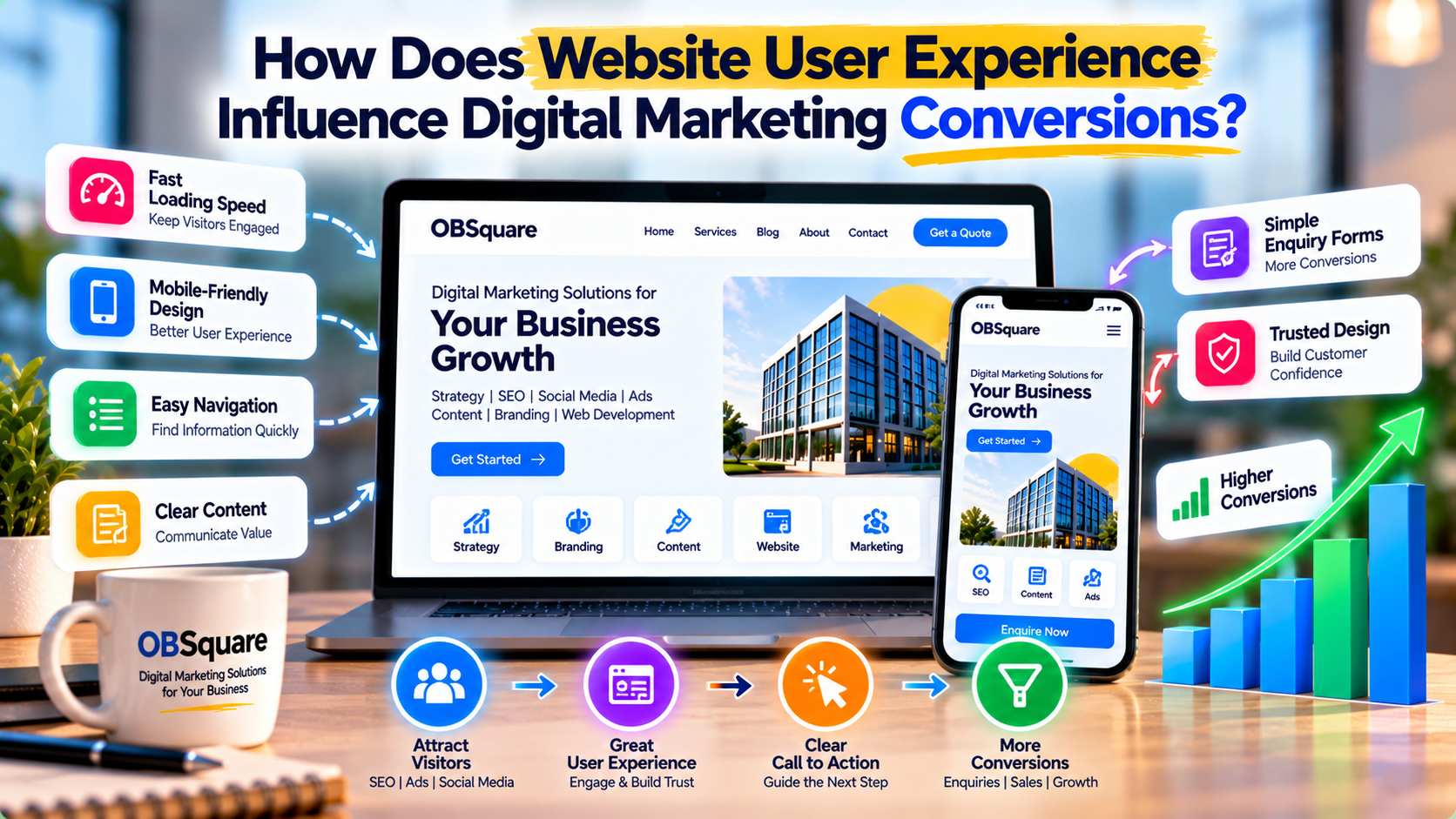
How Does Website User Experience Influence Digital Marketing Conversions?
Introduction: Why Website User Experience Matters in Digital Marketing
A business website is often one of the first places potential customers visit when researching a product or service. After discovering a brand through search engines, social media, email campaigns, or online advertisements, visitors expect the website to provide clear information and make the next step easy.
However, attracting visitors is only one part of digital marketing. If a website is difficult to navigate, confusing to understand, or inconvenient to use on mobile devices, visitors may leave without contacting the business.
Website user experience (UX) refers to how people interact with a website and how easily they can find information, understand available services, and complete their intended actions.
A positive user experience supports digital marketing by helping visitors move from discovery to engagement and, where appropriate, conversion. This makes website usability an important part of a broader marketing strategy.
1. Understand the Connection Between User Experience and Conversions
A conversion occurs when a visitor completes an action that supports a business objective. Depending on the website, this could mean submitting an enquiry form, booking a consultation, making a purchase, registering for an event, or requesting a quotation.
User experience can influence how easily visitors complete these actions.
For example, a visitor who lands on a service page may be ready to enquire. If the page clearly explains the service, displays a relevant call to action, and provides a simple contact form, the visitor has a straightforward path forward.
If the same page contains confusing menus, unclear pricing information, or a lengthy form requesting unnecessary details, the visitor may abandon the process.
Businesses should therefore consider the complete customer journey rather than focusing only on website traffic.
The objective is to remove unnecessary obstacles and help visitors make informed decisions.
2. Improve Website Navigation and Information Structure
Website navigation helps visitors understand where they are and where they can find the information they need.
Poor navigation can make even a well-designed website frustrating to use. Visitors should not have to search through multiple unrelated pages to understand a business's services or find its contact information.
To improve navigation:
- Use clear, descriptive menu labels.
- Group related services into logical categories.
- Keep important pages easy to access.
- Provide a consistent navigation structure across the website.
- Use internal links to connect related information.
- Include a visible contact or enquiry option.
- Avoid overcrowding the menu with unnecessary items.
For example, a digital marketing website could organize its main navigation around services, case studies, blogs, pricing, and contact information.
A clear structure helps visitors understand the available options and supports a smoother path from the homepage to the information they need.
3. Optimize Website Loading Speed
Website performance is another important part of user experience. Visitors may become frustrated when pages take too long to load, particularly on mobile connections or older devices.
Slow pages can interrupt the customer journey and make it harder for visitors to access important information.
Businesses can improve website performance by:
- Compressing images without noticeably reducing quality.
- Using modern image formats where appropriate.
- Removing unnecessary scripts and plugins.
- Minifying CSS and JavaScript when suitable.
- Enabling browser caching and appropriate server-side caching.
- Choosing reliable hosting.
- Reducing unnecessary third-party resources.
- Monitoring real-user performance where data is available.
Tools such as Google PageSpeed Insights can help identify performance issues and suggest improvements.
Businesses should prioritize changes based on their impact and technical requirements. Improving loading speed does not guarantee a specific conversion increase, but a responsive, reliable website creates a better foundation for visitors to interact with the business.
4. Make the Website Mobile-Friendly
Many customers discover businesses through mobile devices. A website that works well on desktop computers but is difficult to use on a smartphone can create unnecessary friction.
A mobile-friendly experience should allow visitors to read content, navigate pages, view images, and submit enquiries without excessive zooming or horizontal scrolling.
Important improvements include:
- Using responsive layouts.
- Maintaining readable font sizes.
- Providing sufficient spacing between interactive elements.
- Making buttons easy to tap.
- Keeping forms manageable on small screens.
- Optimizing images for different screen sizes.
- Ensuring menus work reliably on mobile devices.
- Checking that important content is not hidden or clipped.
Businesses should test their most important pages on different screen sizes, especially service pages, landing pages, product pages, and enquiry forms.
Mobile usability is not simply a design preference. It is part of making digital marketing accessible and convenient for the audience.
5. Create Clear and Relevant Landing Pages
A landing page is often the destination for visitors arriving through an advertisement, search result, email campaign, or social media link.
The page should match the visitor's expectations and provide the information needed to take the next step.
For example, if a campaign promotes SEO services, the landing page should explain the SEO offering rather than forcing visitors to search through unrelated services.
A useful landing page generally includes:
- A clear headline describing the offering.
- A concise explanation of the value provided.
- Relevant service details or product information.
- Genuine testimonials or examples where available.
- Answers to common customer questions.
- A visible and relevant call to action.
- A simple enquiry or purchase process.
The message in the advertisement or promotional content should align with the landing page. A mismatch can confuse visitors and reduce confidence.
Businesses should also avoid making unsupported claims or promising results they cannot guarantee.
6. Use Clear Calls to Action
A call to action (CTA) tells visitors what they can do next. Without a clear next step, interested users may leave the website even when the service is relevant to them.
Effective calls to action should be specific, easy to understand, and appropriate for the visitor's stage in the customer journey.
Examples include:
- Request a Consultation
- Get a Quote
- Explore Our Services
- Book an Appointment
- Download the Guide
- Contact Our Team
The CTA should stand out visually without overwhelming the rest of the page.
Businesses should also consider the action's level of commitment. A visitor reading an introductory blog may prefer to explore a related guide, while someone reviewing a detailed service page may be ready to request a quotation.
A relevant call to action gives visitors a practical next step instead of pressuring everyone to make an immediate purchase.
7. Simplify Enquiry Forms and Conversion Processes
Enquiry forms are important conversion points for service-based businesses. However, complicated forms can discourage visitors from completing them.
Businesses should request only the information necessary to respond effectively.
A basic enquiry form may include:
- Name.
- Email address or phone number.
- Required service.
- A short description of the customer's needs.
Additional fields can be included when they are genuinely necessary for the business process.
Other improvements include:
- Providing clear labels for each field.
- Displaying helpful validation messages.
- Making error correction straightforward.
- Avoiding unnecessary form steps.
- Confirming successful submissions.
- Explaining what happens after the form is submitted.
- Protecting personal information appropriately.
For an online store, the same principle applies to checkout. Unnecessary steps, unclear fees, or confusing payment options can make purchasing more difficult.
The goal is to create a process that is simple, transparent, and appropriate for the action being completed.
8. Build Trust Through Website Design and Content
Visitors need confidence that a business is legitimate, reliable, and capable of delivering what it promises.
A professional website can support trust by presenting information clearly and consistently.
Useful trust-building elements include:
- Accurate company and contact information.
- Clear descriptions of products and services.
- Genuine customer testimonials.
- Relevant portfolio examples or case studies.
- Transparent pricing information where appropriate.
- Clear privacy and terms information where relevant.
- Consistent branding and professional design.
- Secure connections and appropriate payment protection for transactions.
Businesses should ensure that all trust signals are genuine. Fake testimonials, misleading statistics, and unsupported claims can damage credibility.
Clear communication is often more valuable than adding decorative elements that do not help visitors evaluate the business.
9. Connect Website UX With SEO, AEO, and GEO
Website user experience also supports a broader digital marketing strategy.
SEO: Search Engine Optimization
A well-structured website helps users and search engines understand its content. Useful page titles, descriptive headings, logical internal links, mobile usability, and accessible content all contribute to a stronger website foundation.
AEO: Answer Engine Optimization
Clear questions and answers, useful FAQs, and well-organized service information help visitors find specific information more easily. Businesses should answer customer questions directly and avoid unnecessary repetition.
GEO: Generative Engine Optimization
Accurate, consistent, and clearly structured information can help people and AI-powered systems understand what a business offers. Businesses should maintain factual service descriptions and useful supporting content rather than relying on vague promotional language.
Good UX does not guarantee higher rankings or AI-generated recommendations. However, it helps ensure that when visitors discover a business, they can access useful information and understand the next steps.
10. Measure Website UX Using Meaningful Metrics
Businesses should evaluate website user experience using a combination of behavioural, technical, and conversion metrics.
Useful indicators include:
- Conversion rate: The proportion of visitors who complete a defined action.
- Form completion rate: The percentage of users who successfully submit an enquiry form after starting it.
- Landing-page performance: How visitors interact with important campaign pages.
- Engagement indicators: Relevant interactions with content and navigation.
- Page performance: Loading speed and responsiveness on real devices.
- Mobile performance: Differences in user behaviour and conversion across devices.
- Exit and abandonment patterns: Where visitors leave a process without completing it.
Tools such as Google Analytics, Google Search Console, PageSpeed Insights, and suitable usability testing tools can help identify opportunities for improvement.
No single metric explains the entire user experience. For example, a short visit may indicate a problem, or it may mean the visitor found the answer quickly. Metrics should be interpreted in context.
11. Use Testing and Feedback to Improve User Experience
Businesses should avoid making major website decisions based only on personal preference. Actual visitor behaviour and feedback can reveal problems that are not obvious to the website owner.
Practical methods include:
- Testing navigation and forms on different devices.
- Reviewing frequently visited pages.
- Examining where users abandon conversion processes.
- Collecting feedback from customers.
- Checking for broken links and confusing error messages.
- Comparing alternative headlines or CTA wording where sufficient traffic is available.
- Using usability testing to observe how visitors complete common tasks.
For example, if visitors repeatedly open a service page but rarely submit an enquiry, the business could investigate whether the page clearly explains the offering and whether the contact process is convenient.
Changes should be tested and evaluated rather than assuming that every redesign will improve performance.
12. Common Website UX Mistakes That Affect Digital Marketing
Even businesses with strong marketing campaigns can lose opportunities because of avoidable website issues.
Common mistakes include:
- Overcomplicated navigation.
- Slow-loading pages and oversized images.
- Poor mobile layouts.
- Unclear headlines and service descriptions.
- Calls to action that are difficult to find.
- Long enquiry forms with unnecessary fields.
- Broken links and confusing error messages.
- Excessive pop-ups that interrupt visitors.
- Inconsistent messages between advertisements and landing pages.
- Failing to monitor website conversions.
Addressing these issues can make the website more useful and improve the experience of visitors arriving through digital marketing channels.
13. How OBSquare Can Help Improve Website User Experience
OBSquare, a product of Seyfert Infotech, offers website development and digital marketing services designed to help businesses improve their online presence.
Its services include website development, SEO, AEO, GEO, blog writing, content creation, social media management, Google Ads, Meta Ads, and Google Business Profile management.
These services can work together to create a more coordinated customer journey.
For example, a business can improve its service pages and website structure, create helpful content that answers customer questions, and use SEO or advertising to bring relevant visitors to those pages. Conversion tracking can then help identify where further improvements may be needed.
The objective is to ensure that a business's website supports its marketing goals by making information accessible, communicating value clearly, and helping interested customers take the next step.
Conclusion
Website user experience is an important part of digital marketing because it influences how visitors interact with a brand after discovering it.
A clear website structure, fast-loading pages, mobile-friendly design, relevant landing pages, straightforward forms, and trustworthy content can make it easier for customers to understand a business and complete meaningful actions.
Businesses should review their websites regularly, measure the performance of important pages, and use customer feedback to guide improvements.
When website user experience and digital marketing work together, businesses can create a more effective path from online discovery to customer engagement and conversion.
Want to improve your website's digital marketing performance? Explore OBSquare's website development, SEO, and digital marketing services to build a more useful online experience aligned with your business objectives.